Schnellstart-Anleitung
Benutzerhandbuch
Basisdaten
Planung
Status
Berichte drucken
Stoppt die Kalkulation

DOC-ADMIN-Message-Configuration | TourMonitor Admin Message Configuration Funktionseinführung
 3:00 Min
 Intro
Intro
1. Channels
This page manages channel of messages which could be used in Base Data > Outbox.
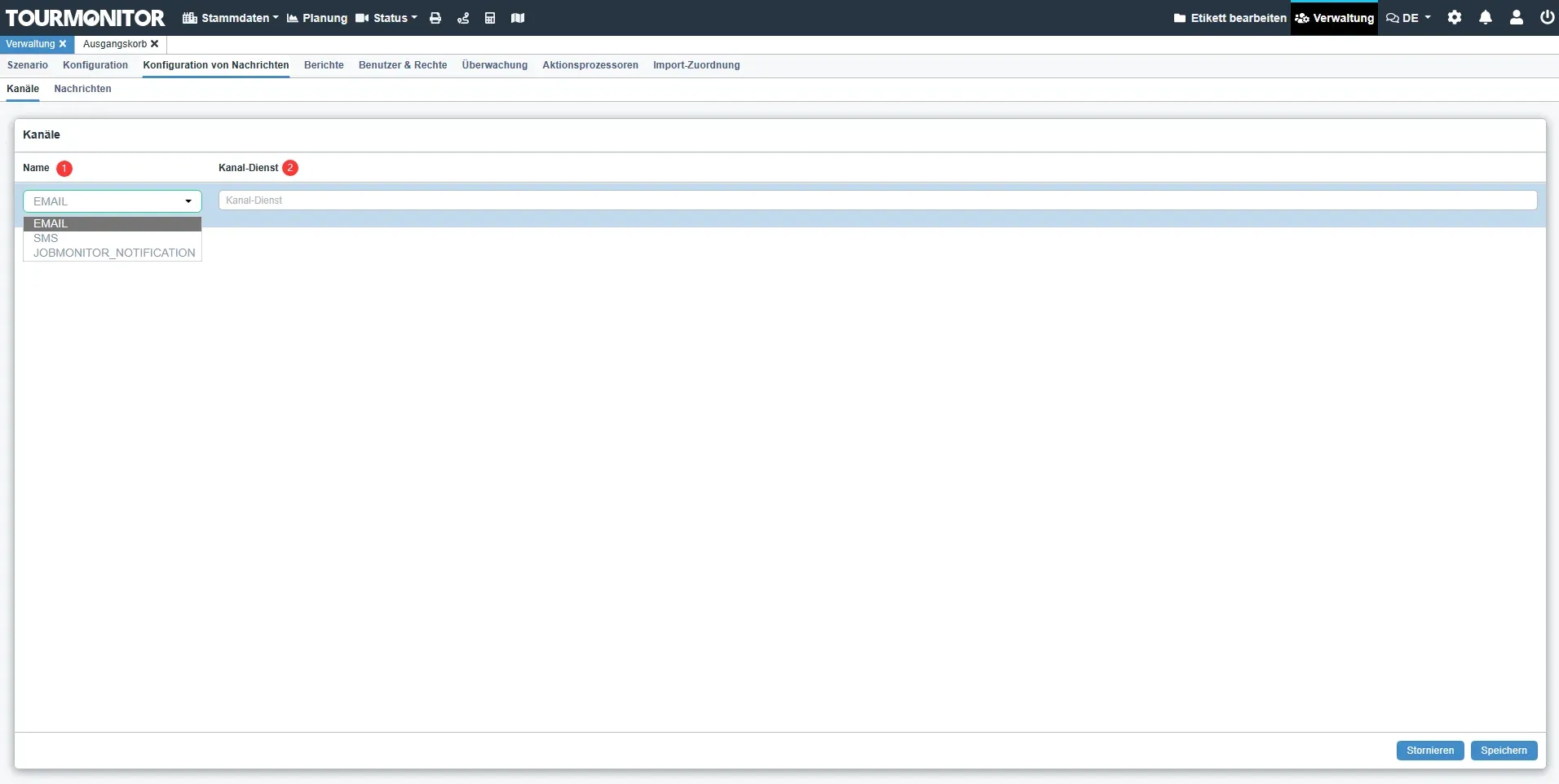
| Num | Field | Info |
| 1 | Name | Different types of channels |
| 2 | Channel Service | Describes the channel service |
2. Administration > Message Configuration > Messages
The page to create messages which could be used in Outbox function.
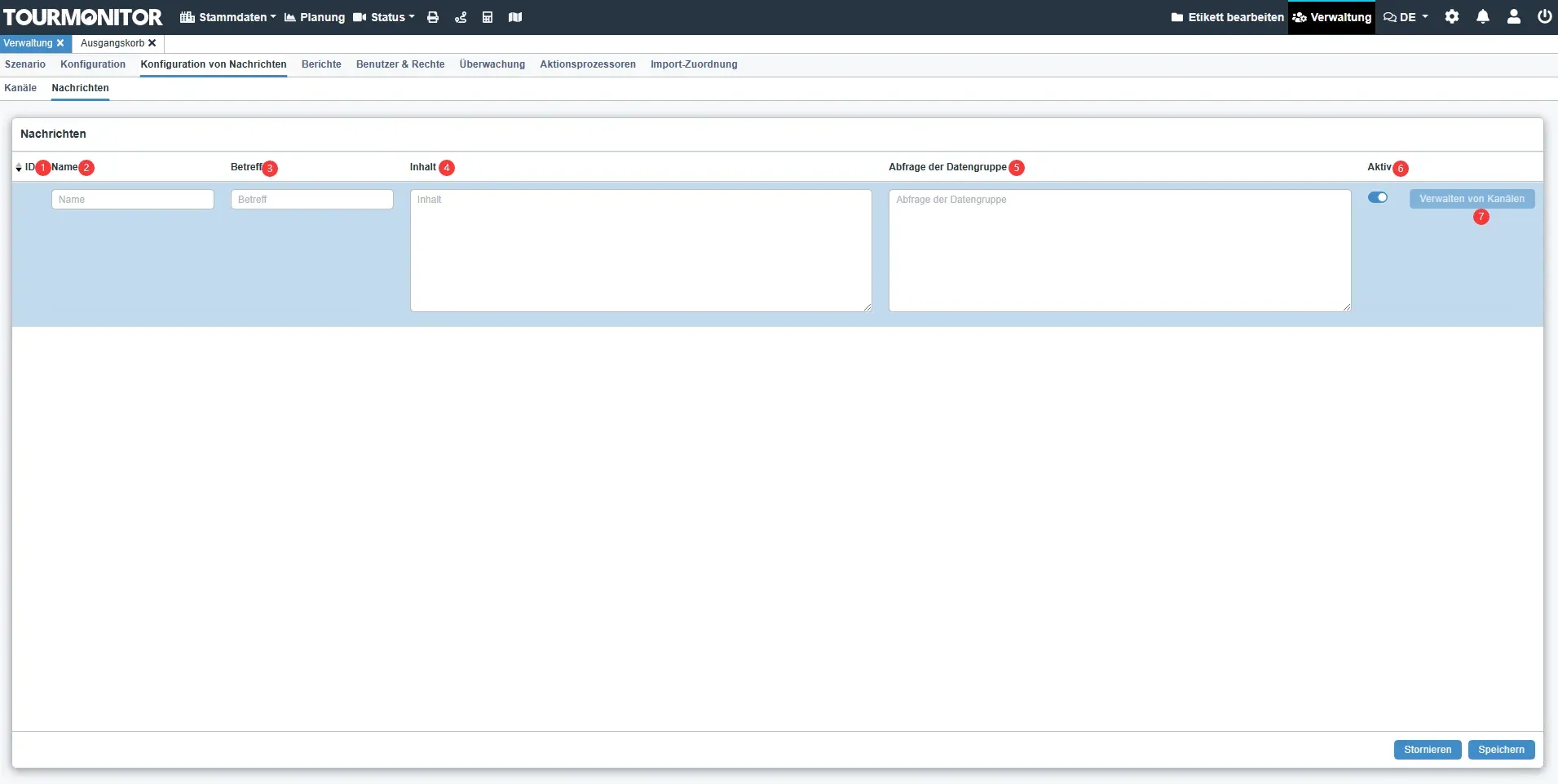
| Num | Field | Info |
| 1 | ID | The field shows the ID of the message |
| 2 | Name | The field shows the name of the message |
| 3 | Subject | Subject of the message |
| 4 | Content | Content of the message |
| 5 | Data Group Query | Data group query of the message |
| 6 | Active | The field which indicates whether the record is activated or not This is a general function that available in all business modules |
| 7 | Manage Channels button | The button to navigate back to message channel page |